
Staffing Automation Software: 9 Workflows and 7 Platforms
In Short
Staffing automation software runs the repeatable work of a staffing desk, like sourcing, screening, scheduling, submissions, and timesheet approvals. Most firms spread that work across disconnected tools, so context breaks at every handoff between client and candidate. The cost is slower fills, missed redeployments, and recruiter capacity lost to admin work. Asymbl's Recruiter Suite runs automation on the same candidate, client, and job records, and Rosa, a Digital Recruiter, handles the volume. Recruiters step in for the judgment calls, client relationships, and placement decisions.
Introduction
A staffing recruiter can source for one client in the morning and chase interview times for another by afternoon. Every handoff between those jobs is a place where a requisition can stall. On a temp desk, speed wins, and a candidate sitting between assignments is revenue walking away.
Staffing automation software should give that recruiter time back, yet most firms run it across disconnected tools. Outreach lives in one tool, scheduling in another, and client history somewhere else entirely. Each new tool automates a task and fragments the context around it. The ratio of admin work to high-value work on the desk has shifted the wrong way. Adding recruiters to fix a process problem doesn't hold up in a margin-compressed market.
Automation pays off when it runs on the same candidate, client, job, and pipeline records your recruiters already use. Recruiters keep the judgment calls, and software carries the repeatable coordination.
In this blog, we will cover what staffing firms need from recruiting automation and nine workflows worth automating. We will then compare seven staffing automation software platforms and show where Asymbl fits.
What Staffing Firms Need From Recruiting Automation
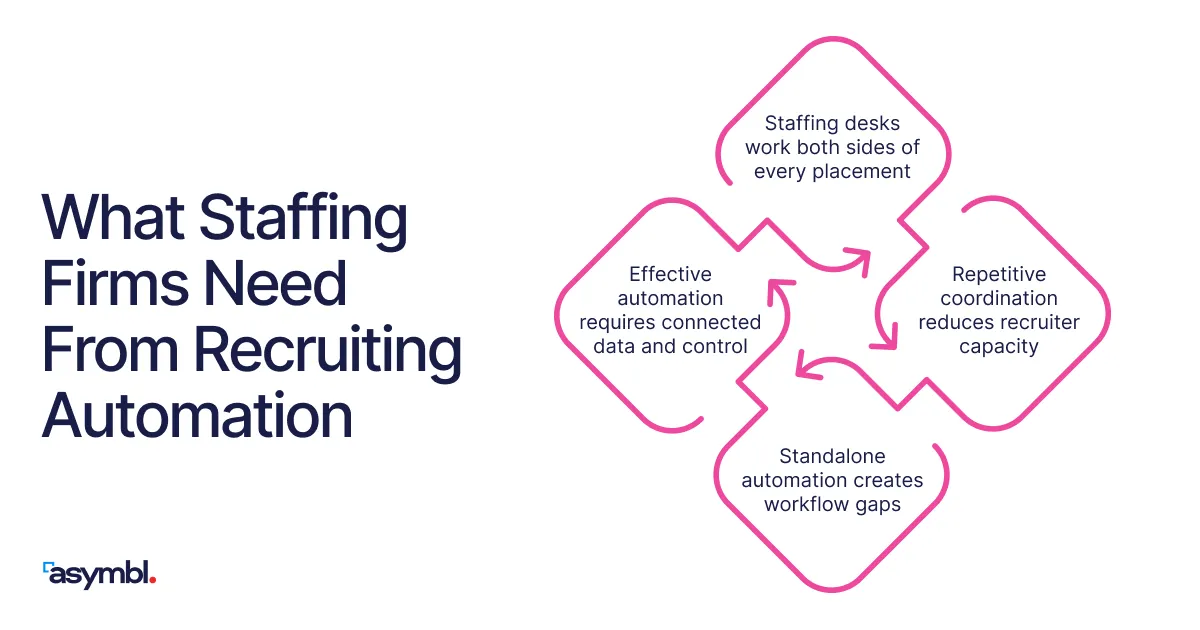
Staffing automation has different requirements from standard recruiting automation. Agencies work across many clients, requisitions, and talent pools at once, and every placement carries a client delivery commitment. Those differences decide whether automation adds recruiter capacity or adds another system to watch.
1. Staffing desks work both sides of every placement
Every staffing placement has two customers: the client with the job order and the talent who fills it. Recruiters carry both sides at once. They learn client requirements, source relevant talent, keep candidate relationships warm, coordinate submissions, and deliver across several active accounts.
On a full desk, one person sells and recruits. On a split desk, one person owns the client and another owns the talent. Every handoff between them depends on shared context.
A change on the candidate side shows up in client delivery, placement speed, and revenue. A strong candidate who stalls in screening becomes a missed submission, and a missed submission costs the firm a placement. Automation for a staffing desk has to account for both sides of that equation.
2. Repetitive coordination reduces recruiter capacity
Repetitive coordination takes recruiter hours away from the work that produces placements. Sourcing runs, follow-ups, scheduling, status updates, submission prep, record maintenance, and internal check-ins all compete for the same desk time.
These tasks are necessary, yet they call for very different levels of judgment. Confirming an interview time is repeatable. Reading whether a client will accept a candidate with a résumé gap requires a recruiter's knowledge of that client. When the repeatable work fills the day, recruiters have less capacity for candidate conversations, client relationships, negotiation, and evaluating fit.
The repeatable share of that work is large. The 2025 McKinsey Agents, Robots, and Us Report estimates today's technology could automate about 57% of US work hours. McKinsey ties that potential to workflows redesigned so people and technology each handle the steps they do best. On a staffing desk, confirmations, reminders, and status updates fall squarely within that automatable share.
In staffing, recruiter capacity converts directly into revenue. Recruiter automation software creates value when it removes the coordination burden and leaves recruiters in charge of placement decisions.
3. Standalone automation creates workflow gaps
Standalone automation fixes one task and creates a new system the recruiter has to watch. A sequencing tool sends outreach and a scheduling tool books calls. Each one holds its own piece of the candidate record.
Software automates each task, yet the context around it now lives in four places:
- Outreach platform: Candidate messages and sequences.
- Scheduling tool: Interview bookings and reschedules.
- Applicant tracking system (ATS): Candidate history.
- Customer relationship management (CRM) system: Client information.
The pattern reaches well beyond staffing. Half of CEOs in the 2025 IBM CEO Study say recent investments left disconnected, piecemeal software across their business.
For staffing firms, that split is especially costly. The same candidate, client, and requisition details inform sourcing, screening, submission, and redeployment. When those details live apart, recruiters re-enter data, reconcile records, and chase status manually. Every new point solution adds a handoff, which works against the reason a firm automates in the first place.
4. Effective automation requires connected data and control
Effective automation runs on connected records and leaves the recruiter in control of exceptions. Candidate history, client requirements, job details, previous interactions, and pipeline status all shape what should happen next.
A follow-up reminder is only useful if it knows the candidate already declined. A redeployment trigger only works if it can see the assignment end date and the open job orders. When automation reads from the same records the team works in, those signals are already available.
Recruiters still decide:
- When a candidate is ready to submit
- When a client conversation needs a human
- When an exception should override the standard rule
Connected automation adds capacity while keeping visibility and decision control with the desk.
Few businesses have that kind of control in place yet. In Deloitte's 2026 State of AI in the Enterprise survey, only 1 in 5 companies reported having a mature model for governing autonomous agents. Firms that keep recruiters in charge of exceptions build that governance into the workflow from the start.
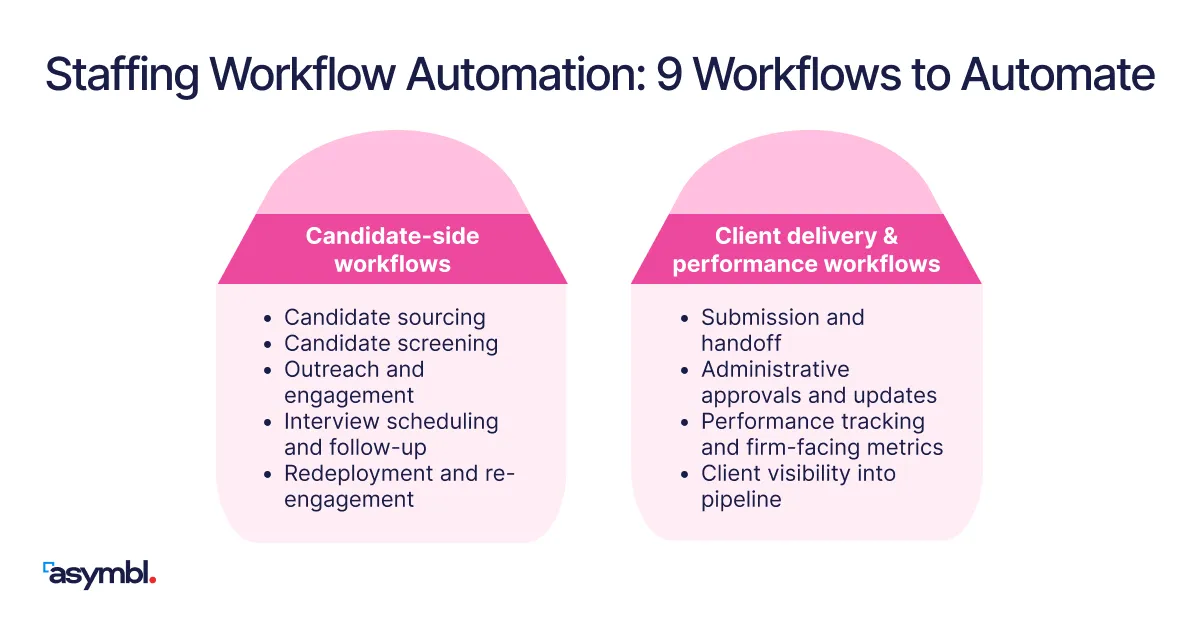
Staffing Workflow Automation: 9 Workflows to Automate
Connected records and recruiter control set the standard for automation on a staffing desk. The best workflows to automate share three traits. They
- recur across every requisition and client,
- take significant recruiter time, and
- run on structured data
Some move talent toward a placement. Others determine whether a client keeps sending job orders.
Redesigning workflows like these is where automation starts to show financial value. Nearly three-quarters of AI high performers in the 2026 McKinsey State of AI Report redesigned workflows. Last year the figure was 55%. Only about a quarter of other respondents report the same. McKinsey defines high performers as businesses attributing at least 5% of earnings before interest and taxes (EBIT) to AI.
Candidate-side workflows
Candidate-side workflows cover the work of sourcing, engaging, and moving talent toward a placement. Speed decides most of these steps, since the first firm to reach and qualify a strong candidate wins the submission.
1. Candidate sourcing
Automated sourcing surfaces relevant talent for each open requisition before a recruiter runs the first search. Without it, recruiters repeat similar searches across job boards and the firm's own database. They review large talent pools and rebuild shortlists for every new job order.
Many staffing firms own databases of hundreds of thousands of records they struggle to search. Automation can match open requisitions against that existing talent, organize repeat searches, and rank likely fits. Recruiters start each requisition from a shortlist and spend their time judging fit and contacting the strongest matches.
2. Candidate screening
Automated screening routes each applicant through the same initial qualification steps, so every application gets a consistent first review. Screening otherwise means reviewing résumés, validating basic qualifications, collecting answers to screening questions, and deciding who moves forward.
Automation can apply knockout criteria, send screening questions, collect responses, and rank applicants against the requisition. High-volume temp roles benefit most, since a single job order can draw hundreds of applications. Recruiters keep the higher-context evaluation. They spend the time they get back assessing fit and building relationships with candidates most likely to place.
3. Outreach and engagement
Automated outreach keeps candidate conversations moving without a recruiter writing each message. Recruiters reach out to large talent pools for new requisitions while keeping active candidates informed on jobs already in play.
Automation can run outreach sequences, send reminders, and trigger messages when a candidate changes stage. Every touchpoint logs to the candidate's record, so the next recruiter sees the full interaction history. High-touch candidates stop falling through the cracks once follow-up runs on a rule. Recruiters step in when a conversation needs persuasion, negotiation, or a read on what the candidate wants next.
4. Interview scheduling and follow-up
Automated interview scheduling removes the calendar back-and-forth between candidates, recruiters, and client stakeholders. Each interview can take several messages to confirm, and every reschedule restarts the cycle. Once interviews are underway, candidates and requisitions also stall when follow-ups depend on recruiter memory.
Automation can offer available times, confirm bookings, send reminders, and handle reschedules. It keeps interview status, feedback requests, and next steps attached to the candidate workflow. Candidates move from qualification to client evaluation without unnecessary delays. Recruiters see exactly where to step in, so every active candidate has a next step.
5. Redeployment and re-engagement
Redeployment automation flags contractors near assignment end and matches them to open job orders before they go idle. In temp staffing, every idle day between assignments is unbilled time.
Automation can watch assignment end dates, surface previous candidates who fit new demand, and trigger re-engagement outreach. A contractor finishing a six-month project can hear about the next role weeks before the current one ends. Firms reuse relationships they already built and avoid restarting sourcing every time demand shifts. Recruiters decide which opportunities to present and how to position each move with the contractor and the client.
Client delivery and performance workflows
Client delivery and performance workflows cover keeping clients informed and showing the firm how its process performs. These workflows rarely feel urgent on a given day, yet they shape which firms clients keep calling first.
1. Submission and handoff
Automated submissions package candidate details, job context, and recruiter notes into a client-ready format once a candidate qualifies. Manual submissions require recruiters to:
- Assemble candidate details, job context, and notes.
- Update internal records.
- Notify account teams.
- Move the candidate into a client-facing stage.
On a contingent req, those steps decide revenue. The client sends the same job to several firms, and the first firm to submit a strong candidate usually owns that candidate and the fee. Automation keeps candidate details, job context, and workflow status aligned, so the handoff happens without manual re-entry. Account managers see the submission as it moves, and recruiters keep the final call on which candidate to present.
2. Administrative approvals and updates
Automated approvals move timesheets, job orders, and record changes to the right approver without a recruiter chasing signatures. Staffing workflows contain many administrative actions, and several require client sign-off before work can move forward.
Rules can route each approval, update records when status changes, and alert the right person when something stalls. Data stays consistent because each update happens once, in one place. The benefit compounds when approvals run inside the same recruiting environment that holds candidate, client, and job information. For temp desks, timesheet approval is also where back-office automation begins. It sets how quickly payroll runs and invoices go out.
3. Performance tracking and firm-facing metrics
Automated performance tracking gives the firm a current read on its own process. It pulls from activity already happening on the desk. Candidate and requisition views show individual progress. Firm-level metrics show where the process works and where it loses time.
Most firms start with four metrics:
- Time to fill: How long a job order stays open before a placement.
- Submission-to-interview ratio: How many submissions turn into client interviews.
- Fill rate: The share of job orders the firm fills.
- Placement rate: The share of submitted candidates who start an assignment.
Leaders also want to see why one recruiter closes 20 placements while another closes 5. Automation captures each activity as it happens, so recruiters never compile reports manually after the fact. Firms get a consistent view of performance and can fix bottlenecks before they affect client delivery.
4. Client visibility into pipeline
Automated pipeline visibility shows clients where an open requisition stands without a call to their recruiter. Clients want to see how many candidates are in the pipeline for a job order. They also want to see how many are at each stage, from sourced to submitted to interviewing.
Automating that view shows clients how long a role is likely to take to fill. It also shows how strong the pipeline looks, and recruiters skip the manual status report. Visible progress strengthens client confidence in the firm's process. With several firms often competing for the same requisition, that transparency also strengthens the firm's position on the account.
Staffing Automation Software Platforms for Agencies
Each of the nine workflows depends on candidate, client, and job records staying connected from sourcing to invoice. Staffing agency automation software varies widely in how much of that record it holds. Vendor demos look alike as a result, so the useful question becomes where each platform's automation runs.
1. Avionté
Avionté is staffing and recruiting software built for staffing agencies. It brings front-office recruiting and back-office operations into one system. On the front-office side, it covers the recruiting lifecycle and client relationships. On the back-office side, it covers payroll and billing for temporary and contract staffing. Avionté positions its product as one system for recruiters, account teams, and back-office staff to share.
Key features:
- Front-office ATS and CRM: Runs the recruiting lifecycle and client relationships in one front-office system, so recruiters and account teams share records.
- Payroll and billing: Back-office payroll and billing software built for complex staffing operations, connecting placements to pay and invoicing.
- AI and automation in recruiting: Applies AI and automation to job creation, candidate discovery, pre-screening, and interviews.
- Avionté Mobile: A mobile app, formerly WorkN, that keeps talent connected to the agency between assignments.
- Reporting and connections: Business intelligence for performance and financial insight, plus pre-built connections to background check, tax credit, and payroll providers.
Best for: Temporary and contract staffing firms that want one vendor across front-office recruiting, payroll, and billing.
2. Asymbl
Asymbl is The Workforce Orchestration Company™, and its Recruiter Suite is Asymbl's Salesforce-based staffing ATS. Recruiter Suite runs in the same Salesforce org as your CRM, so sales and recruiting work from the same client, job, and candidate records.
Asymbl builds for mid-market and large staffing firms in professional and commercial staffing. Its products run on one foundation. Firms can start with software and add AI digital workers later without migrating data or rebuilding workflows.
Key features:
- Workflow templates: Assigns templates by your criteria and pushes process updates to active jobs, so every desk runs the current process.
- Bulk candidate actions: Recruiters act on multiple candidates at once in Kanban, List, or Split views, including applicants from any job board.
- Offer and placement tracking: Creates and tracks offers and records placements in the same system where the work happened, so revenue reporting stays current.
- Live revenue reporting: Dashboards show revenue and gross profit by recruiter and team as activity happens, so leaders spot stalled desks early.
- Asymbl Time: Handles time capture, complex pay rules, and timesheet approvals on Recruiter Suite records, so billing moves without re-entry.
Best for: Staffing firms that want recruiting, timesheets, and digital workers running on the same client, job, and candidate records.
Recruiter Suite covers job, pipeline, interview, placement, and contact management in one environment. Configurable workflows, rules, and automations run against the records your team already uses, so nothing syncs between tools. Asymbl Time extends those records past placement into timesheet capture, approvals, and the payroll and billing handoff.
3. Bullhorn
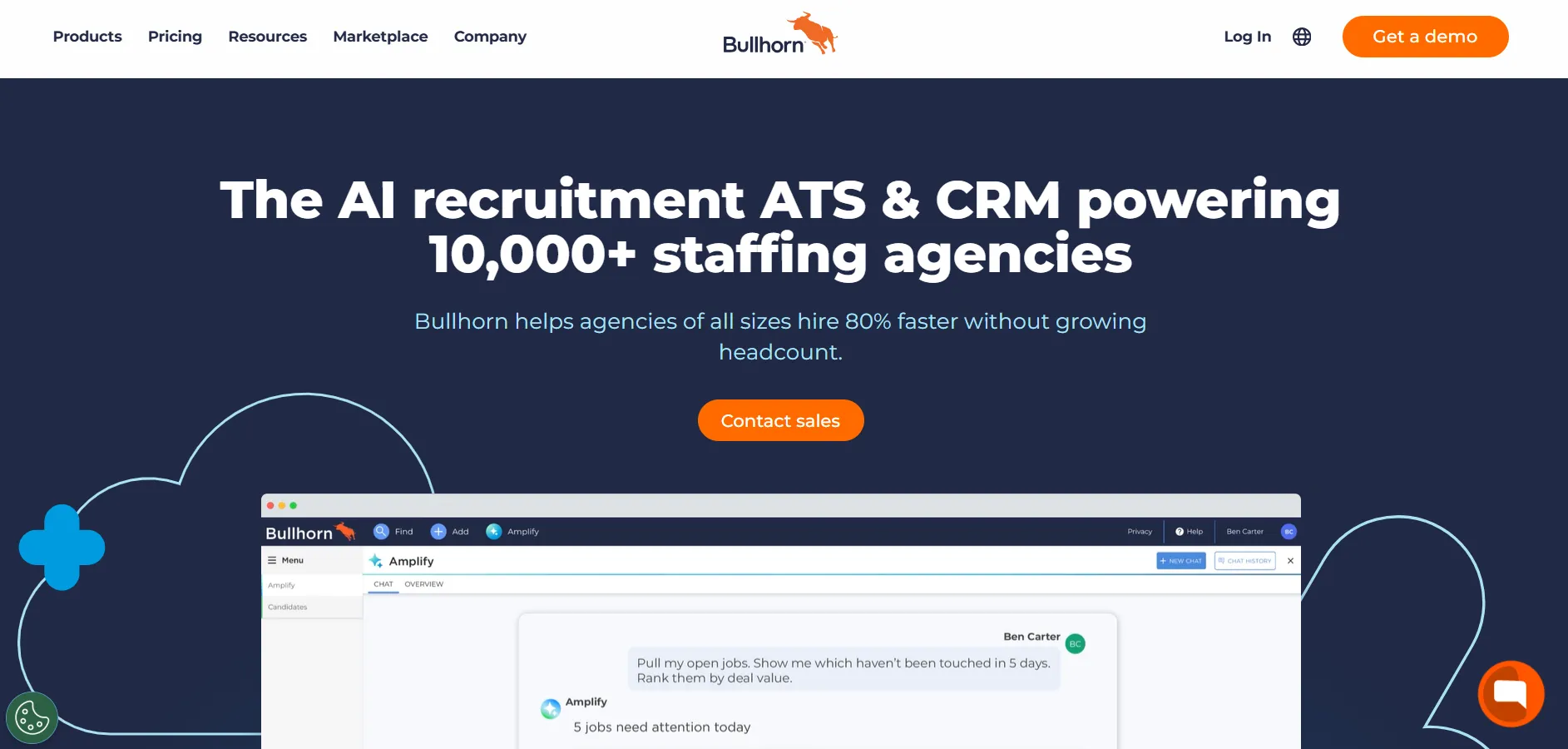
Bullhorn is recruitment software for staffing and recruitment firms of every size, from small agencies to large firms. It combines applicant tracking and a recruitment CRM in one system. Bullhorn extends that system with its own automation and AI products. The company describes its software as a way to run an entire staffing or recruitment firm in one place. Its customers span professional, clerical, and light industrial, healthcare, and executive search staffing.
Key features:
- ATS and CRM: Runs applicant tracking and a recruitment CRM in one system, so candidate and client activity stays together.
- Bullhorn Automation: Sends personalized email, text (SMS), and chat outreach, lets candidates book their own interviews, and nurtures contractors for redeployment.
- Amplify Skills: Digital worker skills such as Match, Screen, Outreach, and Present cover candidate matching, screening, outreach, and branded client submissions.
- Amplify Chat: A staffing-focused chat assistant inside Bullhorn that answers questions and takes actions, such as launching screens or updating records.
- VMS automation: Syncs ATS and vendor management system (VMS) data to reduce VMS administrative work.
Best for: Staffing firms that want recruiting automation software and digital worker skills inside an established staffing ATS and CRM.
4. Target Recruit
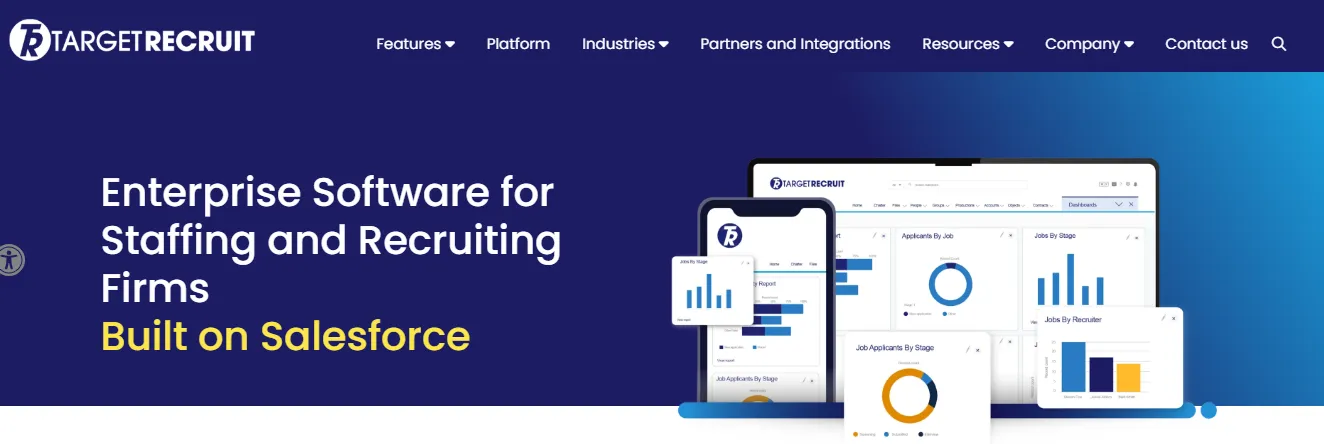
Target Recruit is staffing software for large staffing and recruiting firms, built on Salesforce, and Bullhorn now owns it. It covers front-office, middle-office, and back-office work in one product. All three areas run on the same Salesforce data, so recruiting and operations teams share records.
Key features:
- Front office: A configurable system for sourcing, engaging, and placing candidates, anchored by its applicant tracking system.
- CRM: Tracks customer and candidate relationships across their full lifecycle.
- Middle office: Tools that connect front-office recruiting activity with back-office operations.
- Back office: Pay and bill tools that move placement activity into payroll and client billing.
- TR Intelligence: Target Recruit's AI offering, which includes AI agents that run on Agentforce.
Best for: Large staffing firms that want front-office, middle-office, and back-office work on one set of Salesforce data.
5. Seven20
Seven20 is a recruitment CRM and applicant tracking system built on Salesforce. Seven20 targets recruitment and staffing agencies that want candidate, client, and job records on a Salesforce foundation. Seven20 describes its product as a recruitment platform with modules that extend beyond the CRM and ATS. Those modules reach into back-office work, outreach, and recruitment AI. Agencies use it to run front-office recruiting within the same CRM environment the wider business uses.
Key features:
- Recruitment CRM and ATS: Holds candidate, client, and job records in a recruitment CRM and ATS built on Salesforce.
- Workflow automation: Recruitment workflow automation that the agency configures and controls.
- Back office: Recruitment back-office software connected directly to the CRM.
- Recruitment sequencer: A sequencer for running candidate and client outreach sequences.
- AI notetaker: An AI notetaker offered alongside Seven20's wider recruitment AI tools.
Best for: Outreach-heavy agencies that want recruitment automation software on the same Salesforce CRM the wider business uses.
6. CEIPAL
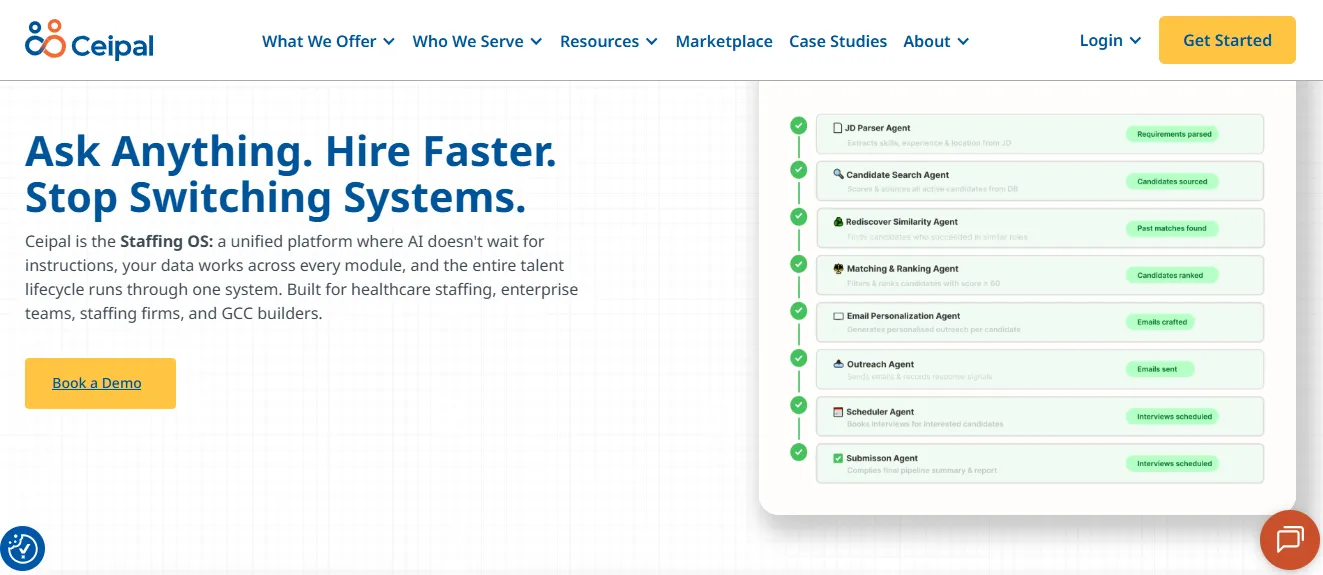
CEIPAL is staffing software that the company calls the Staffing OS. It combines an applicant tracking system, a vendor management system, and workforce management in one product. CEIPAL serves staffing firms and managed service providers, along with corporate recruiting teams. The product addresses both sides of contingent staffing, from recruiting talent to running the supplier and workforce programs around placements.
Key features:
- ATS with AI matching: Applicant tracking paired with AI job-to-candidate matching and fit-score ranking.
- Ceipal AI: Applies AI to candidate sourcing, résumé parsing, and matching across the recruiting workflow.
- Recruiter Assistant: Automates outreach, follow-ups, and interview scheduling for recruiters.
- Procurewise VMS: A vendor management system for running contingent workforce programs and their staffing suppliers.
- Platform connections: Connects with 200+ platforms, including LinkedIn, Dice, Monster, Indeed, and SAP Fieldglass.
Best for: Staffing firms and managed service providers that run recruiting and vendor management programs from one system.
7. Loxo
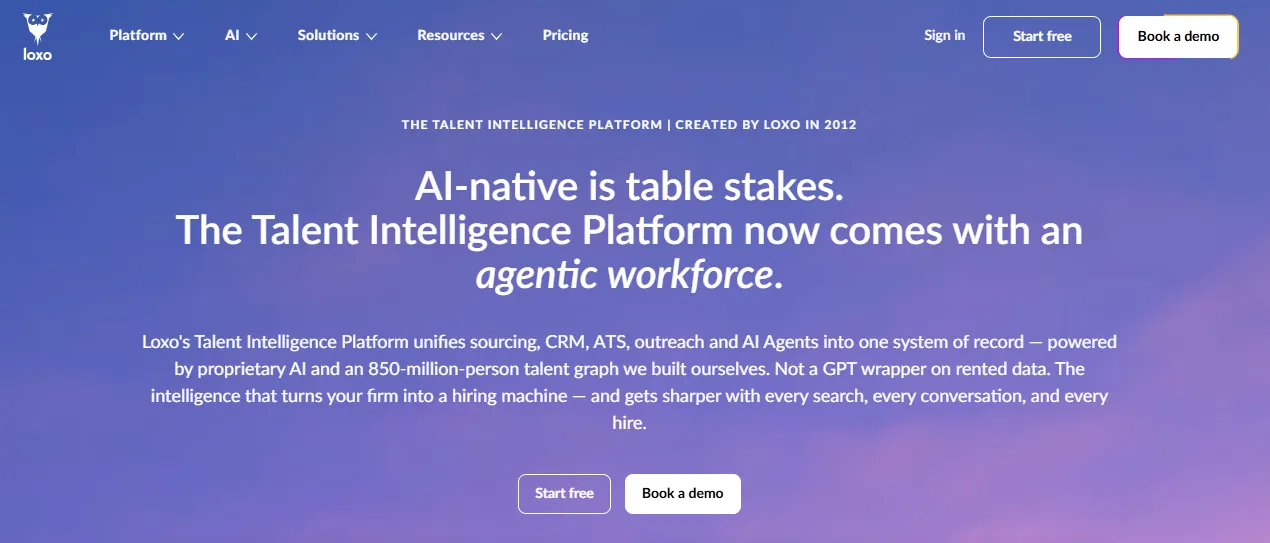
Loxo is recruiting software that combines sourcing, a CRM, applicant tracking, outreach, and AI in one product. It serves staffing agencies, executive search firms, direct hire firms, and recruitment process outsourcing (RPO) firms, along with corporate teams. Loxo has built recruitment AI since 2012. It pairs its software with its own talent database. Loxo targets recruiting teams that want to cut the number of separate tools they run.
Key features:
- Loxo Source: Searches your own database and Loxo's talent database at the same time.
- Loxo Outreach: Builds multichannel campaigns, with Campaign Automation running ongoing communications.
- ATS and recruiting CRM: Tracks candidates through pipelines, while a Self-Updating CRM Agent keeps the talent database current.
- Natural Language Search: Starts searches in plain text, with AI Recommendations ranking semantic matches first.
- Client-facing tools: Candidate Status Reports and a Candidate Submittal Agent support client updates and submissions.
Best for: Staffing and search firms consolidating sourcing, outreach, and pipeline work into one set of recruiting automation tools.
How Asymbl Empowers Staffing Firms to Automate Workflows
The platforms above differ most in where their automation runs. At Asymbl, workflow logic runs on connected candidate, client, and job records inside Recruiter Suite. Asymbl Time carries it past the placement into billing. Each product changes a different part of the recruiter's week and the firm's billing cycle.
That shared foundation is what Workforce Orchestration™ looks like on a staffing desk, with recruiters and digital workers acting on the same records and each doing the work they do best.
1. Recruiter Suite runs your workflows, rules, and approvals
Your firm's workflows, rules, and approval steps run inside Recruiter Suite, configured to match how each desk already operates. Workflow templates assign automatically based on your own criteria, and process updates push across every active job. Offers and placements are tracked in the same system where the work happened, so nothing has to be re-entered when a deal closes.
Live dashboards track placements, revenue, and gross profit by recruiter and team. Front office automation feeds performance reporting directly, which means leaders see which desks are converting and which need support. Every relationship stays at the firm level, with communication history captured automatically. Client history stays with the firm when a recruiter leaves, and field-level access controls decide who sees what.
2. Asymbl Time automates timesheets from placement to invoice
Asymbl Time removes the manual work between a completed placement and a sent invoice. Asymbl developed Time alongside Recruiter Suite, so placement data and time data live in the same place. Time generates timesheets automatically across every placement type. Approval workflows route each timesheet to the right supervisors and delegated approvers. Bulk approvals let managers approve dozens of timesheets in seconds.
Time also handles the pay details that usually cause rework:
- Pay rules: Location-based rates, shift differentials, overtime rules, and mid-period adjustments calculate automatically.
- Compliance: Overtime compliance covers US jurisdictions, with a complete audit trail from time entry to invoice.
- Recruiter visibility: Recruiters see time data and fix a pay discrepancy before it locks into payroll.
- Redeployment signal: Recruiters also see when a contractor is wrapping up an assignment.
Time connects with the payroll and billing providers your back office already uses. Billing cycles shorten, and ops teams spend less time on reconciliation.
3. Skills put pre-built recruiting automations to work
Skills put pre-built recruiting automations to work without custom development. They cover status updates, outreach triggers, follow-up sequences, and movement notifications, the repetitive tasks that pull recruiters away from recruiting. Recruiting ops teams and admins configure them without writing code.
Each Skill works on its own or combines with others into a full workflow. Skill categories include:
- Job Management
- Pipeline & Submissions
- Interview Management
- Communications & Outreach
Skills are also the foundation Rosa runs on, so firms starting with Skills can add Rosa later without starting over.
4. Talent Intelligence surfaces the right talent faster
Talent Intelligence surfaces the right talent by reading what your firm already knows about candidates and clients. It draws on:
- ATS and CRM records
- Email and phone calls
- Interview history and placement outcomes
- Client feedback and job specs
Then it evaluates fit, likelihood, and confidence the way a recruiter would, instead of returning a percent match score.
Recruiters search in natural language, and bias and compliance flags appear before a search runs. Matched talent moves straight into Recruiter Suite pipelines, and every signal feeds back, so matching improves with each interaction. Sourcing, screening, and redeployment start from data your firm already owns. Recruiters rediscover past placements and reconnect with talent the firm already knows.
5. Rosa, a Digital Recruiter, Gives Recruiters Time Back
Rosa gives recruiters time back by carrying the high-volume work that fills their week. She's a pre-built AI digital worker who runs inside Recruiter Suite. She sees the same candidate history, job data, client context, and pipeline as your team. Using Talent Intelligence, she handles:
- Job descriptions and personalized outreach
- Application screening
- Interview scheduling and rescheduling, including by phone
- Offer letter drafts for recruiter approval
Every application gets a response, and every strong candidate reaches a recruiter.
With Rosa carrying that volume, recruiters spend more time on client relationships, candidate conversations, and placement decisions. At Asymbl, our two recruiters and Rosa hired 100 people in 100 days. Along the way, Rosa and the two recruiters:
- Processed 17,000 applications
- Pre-screened 1,800 candidates
- Scheduled 800 interviews
6. Recruiters set the strategy while Rosa handles the volume
Recruiters set the strategy and the limits, and Rosa works the volume inside them. Your team governs and audits her work from day one. Recruiters choose the screening questions and approve every offer letter before it goes out. They step in whenever a client or candidate needs a human call.
Voice screening shows how that control works in practice. Rosa can call an entire ATS stage or contact list with the questions recruiters set. She retries failed calls on her own. She logs every call summary and outcome to the record, so recruiters see what she did without chasing it down.
Choose Staffing Automation Software That Compounds Recruiter Capacity
The firms that pull ahead over the next few years will treat recruiter capacity as a compounding asset. Each workflow that runs on connected records leaves behind signal about talent, clients, and outcomes. Every placement teaches the next search which candidates fit and which clients accept them. Every timesheet approved on time shortens the gap between the work and the cash. Over a year, those gains stack into faster fills, steadier redeployment, and margin that grows without new headcount.
Use that lens when you evaluate staffing automation software. Ask four questions of every platform:
- How many handoffs does it remove?
- Where does its automation store what it learns?
- Which decisions stay with your recruiters?
- How easily can a recruiter override a rule?
Tools that fragment the record will cap your capacity, however many tasks they automate. Recruiters should keep the relationships and judgment calls, with software and AI digital workers carrying the rest.
Each month on disconnected tools is a month of signal your firm never captures. Asymbl lets you begin with the workflows you run today and add digital workers on the same foundation.
Book a demo to see Recruiter Suite, Asymbl Time, and Rosa at work on your desks. Watch your team fill job orders faster and bill placements sooner.
FAQs
Staffing automation software runs the repeatable steps of agency recruiting and delivery on the firm's own records. Look for support built around job orders, assignments, and redeployment, since generic recruiting tools often skip them. Check that it handles temp and contract work through timesheets and billing. Confirm recruiters can override rules, and that every automated action leaves an audit trail. Ask whether you can add AI digital workers later without migrating data.
Staffing firms can automate any recruiting workflow that repeats across requisitions and follows a clear rule. Beyond sourcing, screening, and scheduling, common additions include job board postings, rejection notices, candidate confirmations, and timesheet alerts. Start with the steps that consume the most recruiter hours on your highest-volume desks. Keep steps that depend on client knowledge, such as presenting a borderline candidate, with recruiters. Expand once the first workflows run cleanly and recruiters trust the output.
Firms measure staffing automation return on investment (ROI) through four metrics. Track fill rate, time to fill, placements per recruiter, and gross profit per recruiter. Record a baseline for each metric before rollout, then compare the same desks after a full quarter. Hours saved count only when they turn into more submissions and placements. Analyze temp and direct-hire desks separately, since their cycle times differ. Compare software and implementation costs against the gross profit gain to estimate payback.
Yes, staffing automation software can work with an ATS or CRM. It either runs inside that system or connects to it through a data sync. Automation that runs inside the system reads the same records recruiters use, so nothing needs to sync. Synced tools can lag behind or create duplicate records. Before buying, ask which system owns the candidate record and how often data syncs. Also confirm that client and job data flow both ways.
Staffing automation software moves the recruiter's week toward client advice, candidate relationships, and placement decisions. Recruiters spend more time on exceptions, such as a flagged screening answer or a stalled submission. They also set the rules that software and digital workers follow, then review the outcomes. Each recruiter can carry more requisitions, which makes skilled recruiters more valuable to the firm. Persuasion, negotiation, and client trust still close placements, and those stay with people.
The main risks of automating staffing workflows are broken processes, dirty data, and impersonal outreach. Map each workflow before automating it, so software doesn't speed up a bad handoff. Clean duplicate and outdated records before turning on sourcing or outreach rules. Review automated messages for tone, since talent tunes out generic outreach. Assign an owner to monitor exceptions and adjust rules as client needs change.
Recruitment Automation Explained: The Gaps Most Hiring Teams Miss
Recruitment automation solved visible friction but left the real problems intact. Discover the structural gaps and what comes next for hiring teams

The Right Fit Starts With a Conversation.
See what working together could look like.